Start your 30-day free trial today • Full platform access • Cancel before your first payment

Start Free Trial

Planellio blog

How To Run A Photo Booth Business

A practical guide to running a photo booth business with better bookings, client planning, payments, equipment control and delivery.

WorkflowAutomationConversionOperations
How To Run A Photo Booth Business

Why this problem matters

Photo booth businesses grow more smoothly when bookings, design choices, payments and operations stay connected.

The businesses that improve fastest are usually not the ones working the hardest. They are the ones removing friction from the way they sell, plan and deliver work.

That is why process, tooling and operational clarity matter so much in event businesses of every size.

This guide covers

  • The root cause behind the problem
  • Practical steps that improve control
  • How clearer workflow reduces admin
  • Where software can help most

What usually goes wrong

Most problems come from fragmented workflow

It is common for event businesses to rely on a patchwork of inboxes, spreadsheets, payment links and informal reminders. That can work for a while, but it becomes fragile as lead volume and operational complexity increase.

The result is slower follow-up, weaker visibility and more repeated manual work than the business really needs.

Warning signs

  • Important detail spread across several systems
  • Repeated chasing for the same information
  • Low confidence in what happens next
  • Too much reliance on memory

What better looks like

Joined-up systems create calmer businesses

The biggest improvement usually comes from keeping CRM, booking, contracts, payments and operational workflow closer together. That reduces duplication and gives the business a stronger shared picture.

It also creates a better client experience because the next step is clearer at each stage of the journey.

Practical improvements

  • Clearer lead and booking visibility
  • More structured client communication
  • Stronger team handovers
  • Less repeated manual administration

Photo booth platform evidence

More than a photo booth booking diary

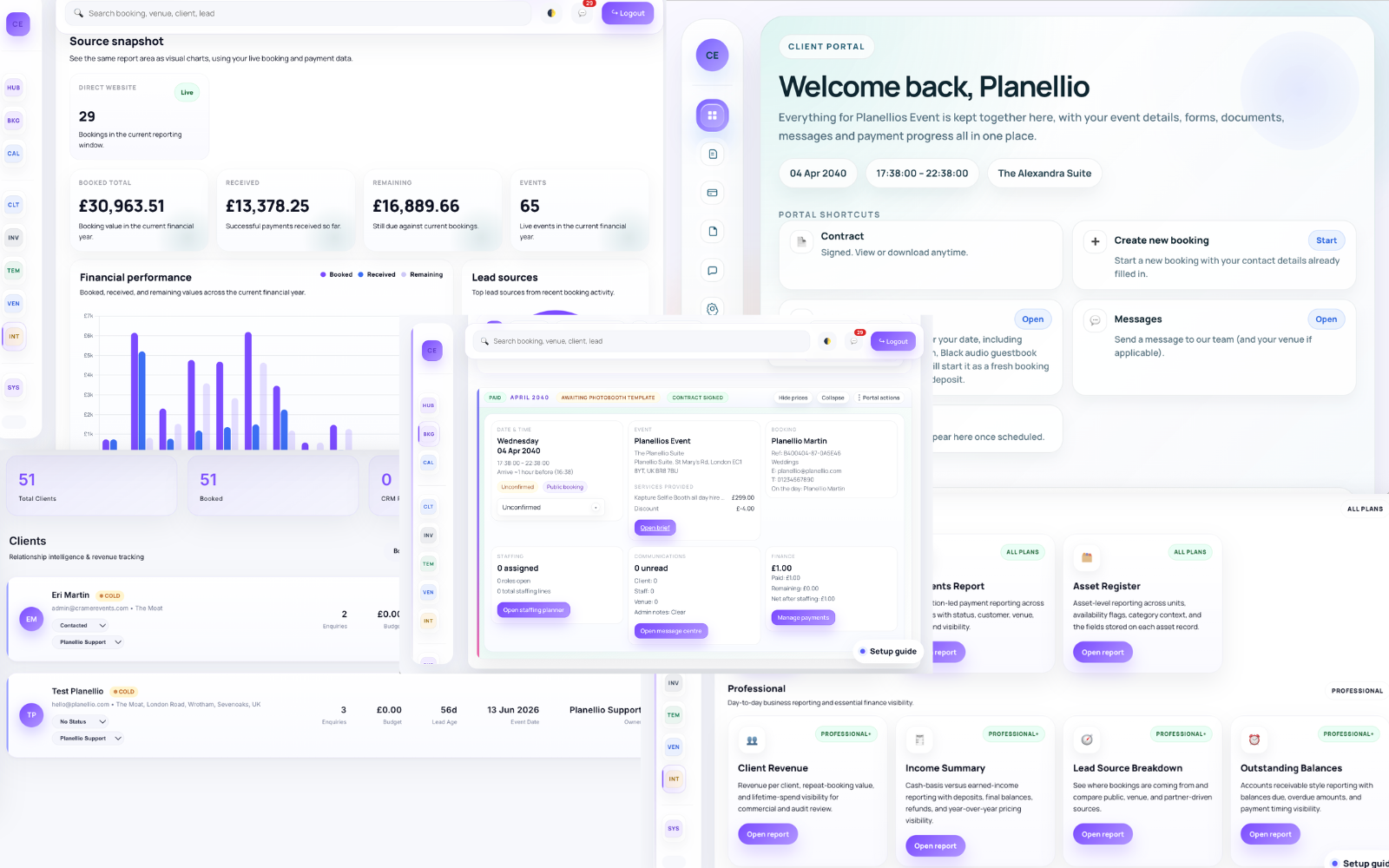
Planellio connects photo booth enquiries, CRM, availability, packages, proposals, contracts, payments, client planning, booth assets, attendants and job information. The same booking can also include other event services without reducing those services to disconnected invoice lines.

For example, one event can contain a photo booth, DJ, LED starlit dancefloor, light-up letters and audio guestbook. Each service can retain its own assets, quantities, extras, package configuration, staffing and operational information while the client sees one connected event journey.

Photo template chooser

Administrators can maintain available photo templates. The client can browse and preview those choices in the Client Portal, select a preferred design, supply overlay wording and submit the choice against the booking.

  • Template library and client-visible choices
  • Preview and preferred-template selection
  • Overlay wording captured with the choice
  • Admin review, reminders and automation conditions

Photo booth sales and planning

The photo booth workflow starts before the booking and continues after payment, keeping customer choices and delivery details connected.

  • Enquiries, leads and source reporting
  • Packages, variants, extras and availability
  • Multiple quotes and branded proposals
  • Contracts, deposits, invoices and receipts

Delivery and mixed services

A booth can reserve physical equipment and require a booth attendant while another service on the same event reserves different stock and roles.

  • Booth assets and package requirements
  • Questionnaires and outstanding client actions
  • Booth-attendant requirements and assignment
  • Job sheets, venue detail and multi-service handover

Independent comparison

Don't just take our word for it

Use ChatGPT to independently compare Planellio with the event-business platforms you're considering. We've prepared a broad prompt that asks for a current, balanced review.

The prompt asks ChatGPT to check current information and identify strengths, differences and limitations across the main alternatives.

Ask ChatGPT to compare usOpens ChatGPT with the prepared comparison.

Next steps

Explore related Planellio pages

See how this workflow connects with the wider Planellio platform, from bookings and CRM to operations, payments, staffing and reporting.

Frequently asked questions

Frequently Asked Questions